-
Jump to
- July 30th
- Bug Fixes
- July 23rd
- Bug Fixes
- July 16th
- Bug Fixes
- July 9th
- Feature Release
- Quality Improvements
- Accessibility
- Bug Fixes
July 30th, 2025
We released fixes for the following:
- eComm 2: Related Product Changes to $NAN Price in Cart, with Page Cannot be Displayed Error at Checkout
- Sitemap does not include learning paths or the proper URL structure for courses that are available to the public
- WYSIWYG HTML Editor Transforms Partial HTML Edits Into Encoded Text
July 23rd, 2025
We released fixes for the following:
- Learner Access Widget not sorting content in the order the learner enrolled in it
July 16th, 2025
We released fixes for the following:
- Gift button disappears when a learner has access to content.
July 9th, 2025
ASSESSMENTS
Integrity Advocate
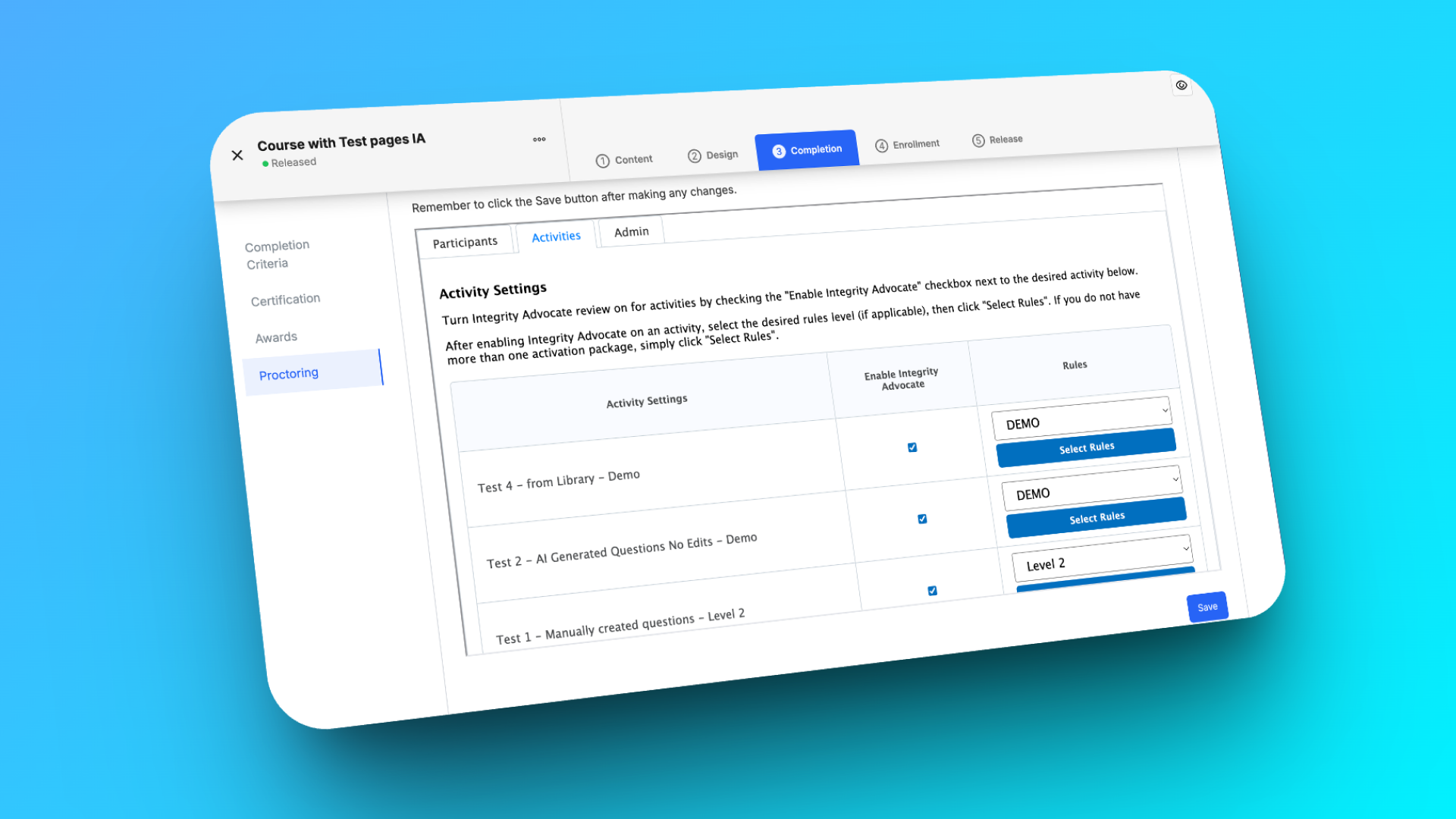
Say hello to smarter, stricter, and seamless assessment security!
Introducing the Integrity Advocate integration, a powerful new proctoring solution for quiz and test pages that helps admins enforce integrity and compliance on high stakes assessments. Passing proctoring is now required to complete the course, ensuring only valid results count.
Integrity Advocate is behind a feature flag.
Navigate to Control Panel in your instance to request to have this feature enabled on your site.
Admins get seamless access to the Integrity Advocate Results and Administration Widget right inside the Thought Industries authoring interface, making it easy to review results and override rulings when needed. Learners experience a smooth installation free proctoring process via the embedded Integrity Advocate Participant Interface, which captures all required data within the assessment itself.
For all of the details, see this article.
We released the following quality improvements:
📊 Assessments: Question Level Reporting
We pre announced it and now it is here! This release includes an update that may impact custom assessment reports if you perform any question level analysis in the NRT BI Connector or in custom Looker reports within the Reporting Hub.
The scope of this update is limited to custom reporting and it will have no affect on:
- Learner experience or the actual behavior / logic of your assessments.
- Reporting for overall assessment scores / grades / passing / completion criteria in any system (BI Connector, Looker).
- Any default Looker dashboards.
- The JavaScript-based question analysis found within the platform's "Analyze Question Responses" tool.
Planned Impact
In cases where an assessment question is left unanswered, question-level reporting will now mark the answer as INCORRECT instead of CORRECT for all quiz attempts completed after this update is released. Quiz attempts completed prior to this release will be unchanged.
Reporting Hub: This update will impact the correct field in the Assessment Attempt Responses view. Any custom look and/or dashboard utilizing this field should be calibrated to expect this response. This field is available in the following explores:
- Assessment
- Attempt Responses (Site)
- Assessments (Site)
- Assessments (Client)
Note
NRT BI Connector: This update will impact correct field in the quizattemptresponses table.
We released the following Accessibility improvements:
Ability to designate in-course images as decorative (with alt="")
To better support accessibility standards (WCAG), we've enhanced the WYSIWYG editor in TI course pages to allow authors to designate images as decorative by specifying null alt text (alt="").
Now, when adding or editing an image, leaving the Title field blank will automatically apply null alt text. This ensures that screen readers can correctly skip decorative images, providing a clearer and more inclusive experience for users who rely on assistive technologies. A helpful note has also been added to the image edit modal to clarify this behavior.
To apply null alt text to existing images, you'll need to re-save them via the following workflow:
Note
This change applies to newly edited images.
- Edit the photo to give a title.
- Save.
- Edit the photo to remove title.
- Save, then publish.
We released fixes for the following:
- Learner Access Widget - Completed Tab Count Does Not Match Visible Content
- Learning Path Creators with Restricted Custom Roles Cannot See or Edit Their Own LPs